First Steps
How to create an account and log in, what to do in your first hour, the newbie chain (once per account), where to go at each level and what to do every day.
Contents
Vela is Essence with Multiprofa: any hero can learn skills from every class, and at level 85 you rebirth back to level 20, keep all your skills and keep growing. This page covers everything you need on your first evening: how to log in, what to click in your first hour and where to go next.
Account and login
- Download the launcher from vela-multi.com. Windows 10/11 may show a blue SmartScreen window: the launcher doesn't have a paid code signature yet, so click More info, then Run anyway. Details: VELA Launcher.
- Choose a folder (you need about 45 GB) and press Install. The launcher downloads the client and the Vela files.
- Play → on the login screen, make up a login and password. There's no separate sign-up on the site: the account is created on your first login.
- New accounts get 3 days of premium: experience, SP and loot ×1.5, plus offline hunting.
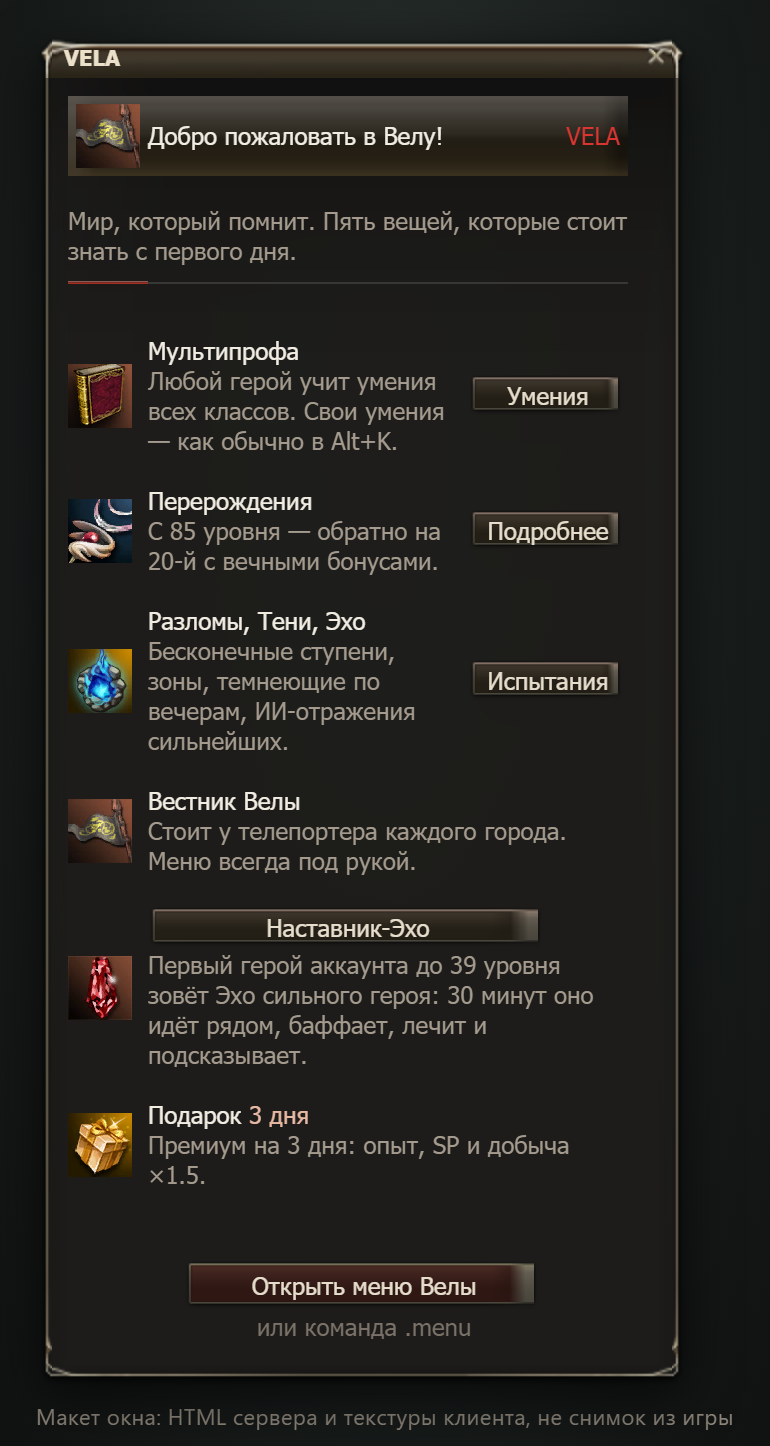
On your first login, a "Welcome to Vela!" window shows the five key things about Vela. After server updates you'll see "What is new" (once).
Your first hour: six steps
- Pick your class wisely. Your own class skills are free to learn; skills from other classes cost SP and adena. Your armor sets your role: robe means mage, light and heavy armor mean warrior. All Essence races are available.
- Gear up in T1. .menu›Shop and premium (or Alt+B›Shop): twelve Aden weapons at 20,000 adena each, Moon armor from 10,000 per piece. After that: loot, the Forge and Tempering.
- Buffs. Until your first rebirth you get the free Buff helper: .menu›Buff helper → Fighter set or Mage set for an hour.
- Auto hunting. .menu›Comfort›Auto hunting: up to 6 attack skills on auto, ordered by their place on your skill bar, radius, auto loot. Details: Auto Hunting.
- Comfort. Turn on auto loot, junk sale and auto supply for shots: All Vela Comforts.
- The Vela menu. Click through the .menu sections so you know where everything is: The Vela Menu and Alt+B.
The newbie chain: once per account
The standard Essence newbie quest chain (race quests up to level 25 and the shared part for 25–45) is the tutorial for the first hero on your account. That hero plays it through.
Once any hero on the account has finished the race part, each new hero gets a choice 5 seconds after logging in:
| Button | What happens |
|---|---|
| Skip | you instantly get every reward of the chain for your class line: level-up to 45, sealed jewelry, a talisman bracelet, a brooch, an agathion bracelet, a hat, potions and scrolls. The quests are marked as done; then change class twice (the class change button shows up on its own) |
| Play it | the same rewards over 20–40 minutes of play; the quests lead you through the Essence zones |
You can change your mind: .tutorial. Details: Newbie Chain and Skip.
The first hour minute by minute: Your First Hour in Game. Setting up comfort features: Comfort in 5 Minutes. The whole hero path ahead: Hero's Path.
Where to go by level
Zone resources are used in the Forge and in Tempering and sell freely, so old zones never go empty. A resource drops from roughly every tenth monster in its zone, but not if your hero is 10+ levels above the monster. Details: Hunting Zones.
| Levels | Where | What to do |
|---|---|---|
| 1–19 | starting islands and villages | reach 20. At 20 you get six 1★ runes as a gift and your first quests |
| 20–39 | Ruins of Agony, Execution Grounds, Schuttgart Mines, Wasteland Ant Nest, Death Pass | level 21–38 raid bosses for Raid Marks, Tempering T1, a B-grade item in the Forge. From 20: Mysterious Orders |
| 40–54 | Ivory Tower, Sea of Spores, Cemetery, Enchanted Valley | from 40: Tower of Trials, Arena, Letter of the Echo; upgrade stone fragments |
| 55–69 | Fields of Massacre, Plains of Glory, War-Torn and Forsaken Plains, Tower of Elmoreden | A-grade weapons and armor in the Forge, Tempering T2, level 55–65 raids |
| 70–79 | Devil's Isle, Silent Valley, Cruma Tower, Plains of the Lizardmen, Catacombs, Bee Hive, Alligator Island | greater upgrade stones, epic bosses: Queen Ant, Core, Orfen, Zaken |
| 80–86 | Dragon Valley, Primeval Isle, Orc Fortress, Sel Mahum Base, Hellbound | Frost Lord's weapons in the Forge, Hunter's armor; at 85: rebirth |
| 87+ | Orc Barracks, Giant Cave, Goddard Lands, Seal of Shilen, Tower of Insolence | Transcendent stones, Immortality weapons, Dragon weapons |
Daily and weekly routine
None of this is required, but it's the fastest way to grow your power and your stock of currencies. The quest NPCs stand next to the Herald of Vela in Giran; the list is at .menu›Quests. Times are Moscow time (MSK).
| When | What |
|---|---|
| Every day | three Mysterious Orders (from level 20), the Rift of the day, 3 free Tower attempts per account, Arena 1v1 up to 100 Marks of Battle, riddles: Nameless Beast (3), Star Map (2), Legend hunt (2 rumors) |
| 14:00 · 18:00 · 21:00 | Shadows of the World: a zone goes dark for an hour, loot ×3 |
| Every 2 hours | PvP events TvT, Deathmatch and Last Hero: 10, 12, 14, 16, 18, 20, 22, and at night 02 and 06. Sign-up lasts 10 minutes |
| Weekly | three of Irma's cases, Letter of the Echo, Beacon of Vela, clan tasks |
| Fri 18:00 – Sun 20:00 | Guild Battle |
| Sat 20:00 | Echo of the Week and the Arena 1v1 Tournament |
| Sun 20:00 / 21:00 | Giran and Gludio sieges / Echo Siege; at 21:00 the Vela Exchange pays dividends |
| Mon 06:00 | a new Doll of Greed |
| 1st of the month | a new season of the Tower, the Paths of the World and the Vela Pass |
Full schedule: Scheduled Events.
Good to know
- Windows. From one computer, 2 windows get full rewards; the third gets ×0.3 experience and −70% loot. A twink buffer or trader is fine.
- Stuck in the textures? Use
/unstuck, and.stuckwith a few words about what happened. More: FAQ. - Window language:
.lang en/.lang ruor .menu›Help›English. - Voice: link the launcher to the game and you'll hear friends nearby: Proximity Voice.
- Currencies: where to get them and what to spend them on: Currencies.